In PSDK you manage quests through $quests. All the methods are explained in the documentation : PFM::Quests.
Now let's show you how to use this variable!
1st Step : Start Quests
To start a quest, call $quests.start(id) where id is the id of the quest in Studio.
Once $quests.start(id) is called you need to tell the System to check for your started quests with:
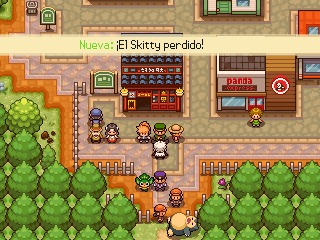
$quests.check_up_signalThis method is used to check the quest from start to finish. It also shows the quest's name in a banner at the top of the screen.
2nd step : Validate the Goal
There are various methods used to validate goals:
$quests.beat_npc(quest_id, npc_name_index)wherequest_idis the quest id andnpc_name_indexis the index of the NPC to beat in the goal list in Studio.$quests.speak_to_npc(quest_id, npc_name_index)where the parameters are the same.
The other objectives are automatically validated by PSDK.
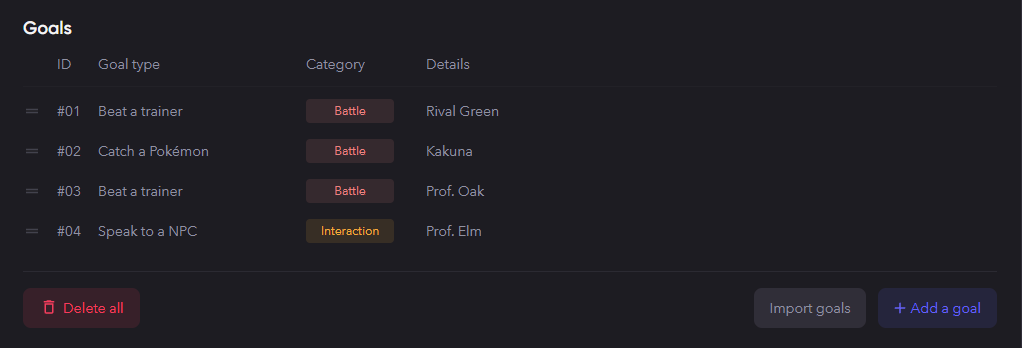
To prevent any confusion, let's show a specific example of how to validate these goals. Each goal type has their own list, so in our example we have 2 goals for beating a trainer, 1 for beating a Pokémon and 1 to speak to a NPC. To validate these goals, it would look like this:
- For ID 1 - Beat trainer - Rival Green:
$quests.beat_npc(quest_id, 0) - For ID 2 - since it is not speaking to a trainer or beating an NPC it is handled automatically.
- For ID 3 - Beat trainer - Prof Oak:
$quests.beat_npc(quest_id, 1) - For ID 4 - Speak to NPC - Prof. Elm:
$quests.speak_to_npc(quest_id, 0)
2nd Step Continued : Showing a Hidden Goal (Hidden until we add it back)
To show a hidden goal call:
$quests.show_goal(quest_id, goal_index)The parameters are:
quest_idthe quest id.goal_indexthe index of the goal in the goal order.
3rd Step: Check If the Quest Is Finished, Decide to Fail or Give the Reward
To finish a quest you have two things to do, check if all the goals are completed & distribute the reward.
Check If All the Goals Are Done
To check if all the goals are done, write the following line in a condition:
$quests.finished?(quest_id)How to fail a quest
You can use $quests.finished?(quest_id) to decide whether a player should fail a quest, but realistically you can make a player fail a quest whenever you want by using the following line:
$quests.fail_quest(quest_id)Check If the Rewards Were Distributed
To check if the rewards have already been distributed write this line in a condition:
$quests.earnings_got?(quest_id)To distribute rewards use the following command:
$quests.get_earnings(quest_id)